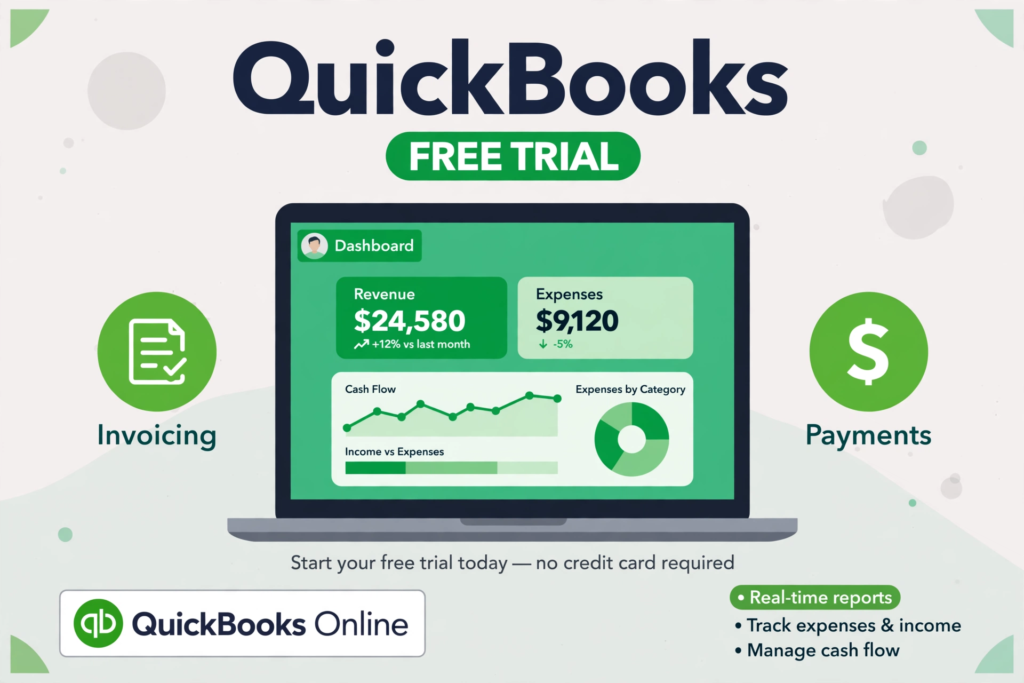
QuickBooks Online is the world’s most popular cloud accounting software, made by Intuit. It helps small business owners, freelancers, and accountants send invoices, track expenses, manage bills, and see exactly how their business is doing — all from a web browser or a phone app. There is no heavy program to install on your computer, and your books are saved online automatically, so you can work from the office, from home, or on the road.
In this guide, you will learn what QuickBooks Online offers, how much it costs, how to start the official 30-day free trial, and the answers to the questions people ask most before signing up.
Key Features of QuickBooks Online
- Send professional invoices and get paid faster, with online payment options for your customers.
- Track income and expenses automatically by connecting your bank accounts and credit cards.
- Capture receipts with your phone camera and match them to your expenses.
- Track mileage for business trips with the mobile app.
- Manage payroll, pay your team, and handle tax calculations (payroll plans available).
- Run more than 50 reports, including profit and loss, balance sheet, and cash flow.
- Give your accountant access so they can review your books without extra logins.
- Work anywhere: full access in any modern browser, plus free apps for iOS and Android.
QuickBooks Online Plans and Pricing (US, 2026)
QuickBooks Online is a paid subscription, but every paid plan starts with a free trial. US list prices, billed monthly:
- Free plan — $0 per month: 1 user, up to 2 invoices a month, 1 bank connection, basic profit and loss report. No credit card required.
- Simple Start — $38 per month: 1 user, invoicing, expense tracking, receipt capture.
- Essentials — $85 per month: 3 users, bill management, time tracking.
- Plus — $140 per month: 5 users, inventory tracking, project profitability.
- Advanced — $340 per month: 25 users, advanced reporting, dedicated support.
New customers choose one offer: a 30-day free trial OR 50% off for the first 3 months — the two cannot be combined. Prices are US list prices and can change, so always confirm the current price on the official Intuit page before you subscribe.
Is QuickBooks Free?
Not fully. QuickBooks Online is a paid product, but you can try any paid plan free for 30 days with full access to that plan’s features, and Intuit also offers a limited free plan for a single user. If you do nothing, the trial converts to a paid subscription automatically at the end of the 30 days, so cancel before the trial ends if you decide not to continue. Be careful of any website offering a “free full version” or a cheap licence key for QuickBooks — Intuit does not sell QuickBooks that way, and those offers are not genuine.
System Requirements
QuickBooks Online runs in a web browser, so there is almost nothing to install:
- A modern web browser: Google Chrome, Mozilla Firefox, Microsoft Edge, or Safari (latest version)
- Windows 10 or Windows 11, or macOS
- A stable internet connection (your data is stored in the cloud)
- iOS or Android for the QuickBooks mobile app
- The QuickBooks desktop app for Windows and Mac is included with a subscription at no extra charge
What Is New in QuickBooks Online 2026
The latest version includes Intuit Intelligence, Intuit’s built-in AI assistant. It helps categorise transactions, drafts invoices and reminders, and highlights unusual spending so you can catch mistakes early. The 2026 release also brings a cleaner dashboard, faster bank feeds, and improved mobile receipt capture.
How to Start the QuickBooks Free Trial (5 Steps)
- Go to the official QuickBooks website at quickbooks.intuit.com.
- Compare the plans and choose the one that fits your business.
- Click “Free 30-day trial” and create your free Intuit account.
- Set up your company: add your business details and connect your bank account if you want automatic transaction imports.
- Use every feature of your chosen plan for 30 days. If it is not right for you, cancel before the trial ends and you will not be charged.
Frequently Asked Questions
Is QuickBooks Online safe? Yes. It is made by Intuit, a listed US company, and your data is protected with bank-level encryption and automatic backups. Always sign up through the official intuit.com website.
Does QuickBooks work on Mac? Yes. QuickBooks Online works in any modern browser on macOS, and there is a Mac desktop app included with a subscription, plus an iOS app for iPhone and iPad.
What happens when the free trial ends? Your trial converts to the paid plan you chose, and Intuit starts billing you. You can cancel at any time before the trial ends to avoid being charged.
Can I cancel QuickBooks anytime? Yes. Subscriptions are monthly, and you can cancel from your account settings. Your data stays available until the end of your paid period.
Is there a completely free accounting alternative? Yes. If you want a fully free program, see our Accounting Software category for GnuCash and Wave, which are free to use.
Download QuickBooks
Start the official 30-day free trial from Intuit’s own website using the download button below. Version: QuickBooks Online (2026). File size: not applicable — QuickBooks Online is cloud-based, so there is nothing to download; the desktop app for Windows and Mac is included with your subscription.